
Tutorial for agents
This article shows the agent how to use this app.
As soon as the agent begins to work on a ticket, the Quick Merge app checks for any other tickets from the customer and recommends them to the agent. The status of the recommended ticket is shown as well. The agent can then select the relevant tickets and choose to merge them. If there aren't any other requests, the application does not show.
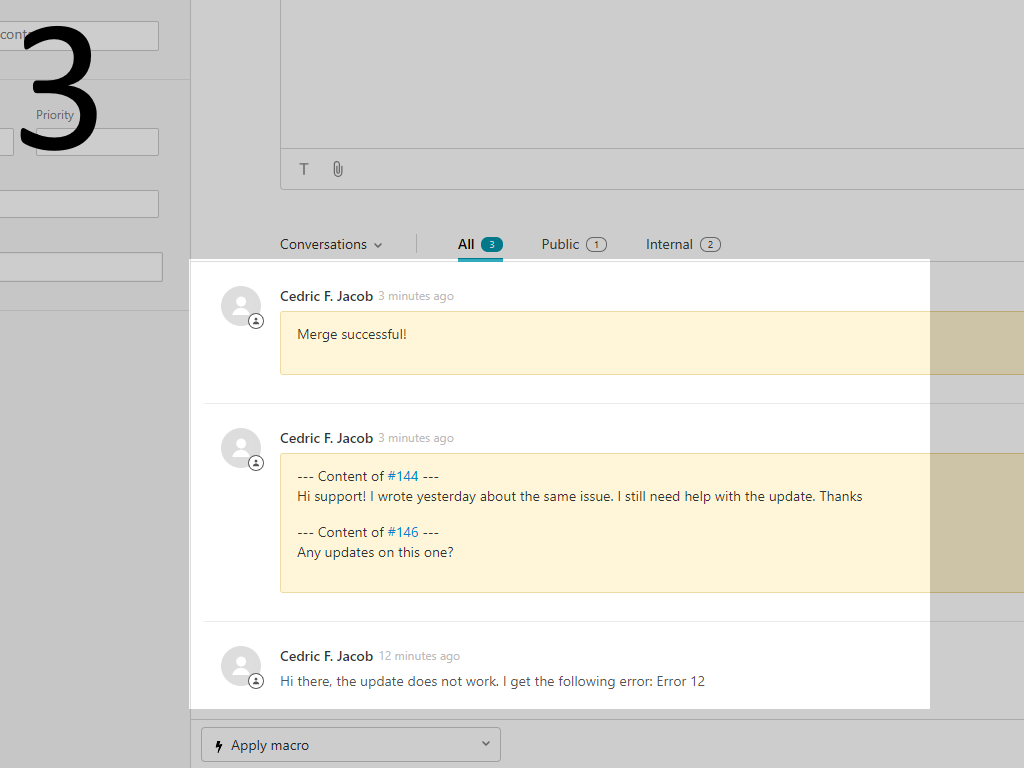
Once you have merged the tickets, all merged tickets will show as an internal comment, with an additional merge successful comment.
Was this helpful?
Still need help?
Open a request and Quick Merge is pre-filled as the topic.