
Installation and Setup
This article will guide you through the installation and initial setup of the app.

Quick Merge recognizes the generated tickets from the same customer then lets the agent select related tickets and merge them quickly.
Installation
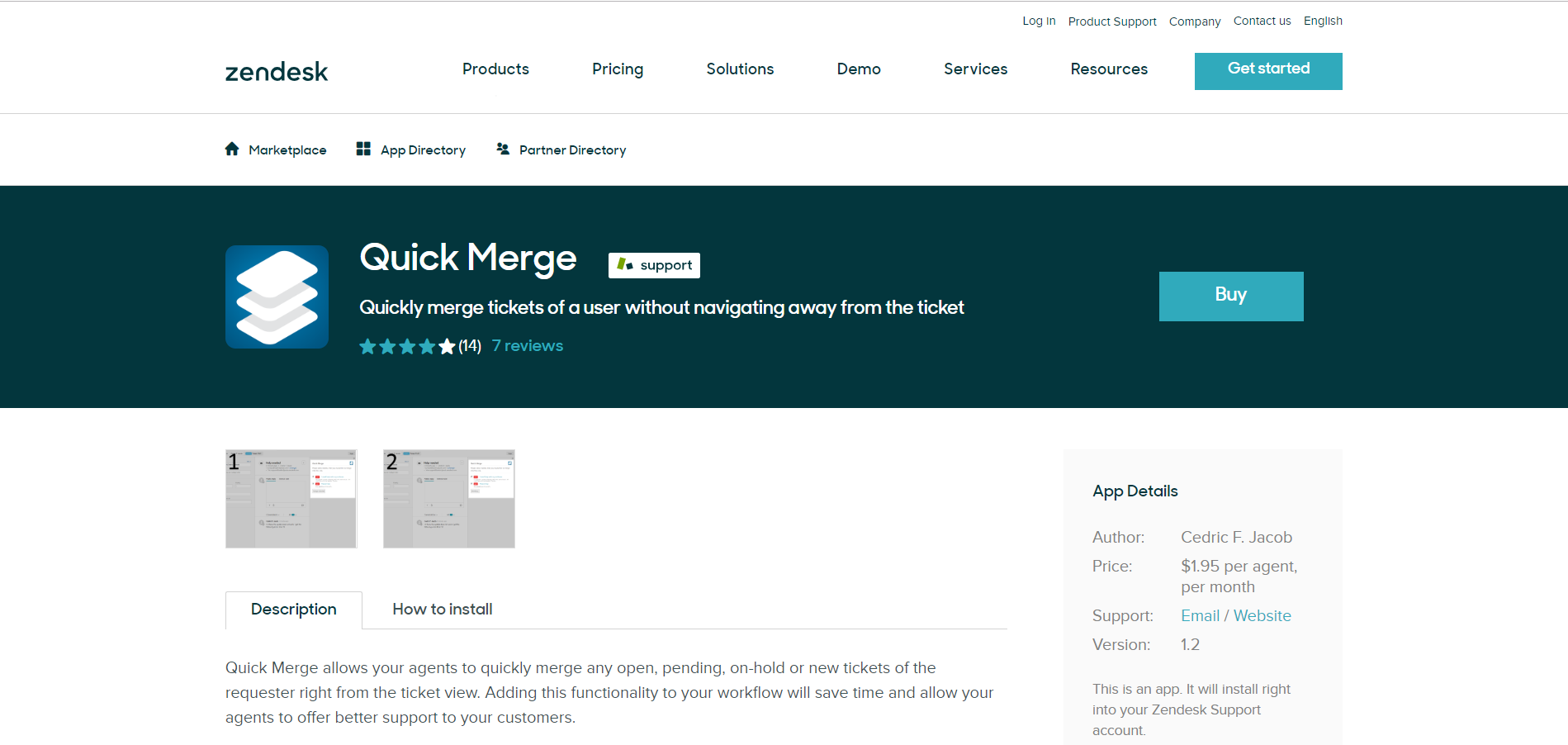
The application is available on the Zendesk Marketplace.
In order to purchase the application, click on the BUY button as shown below.
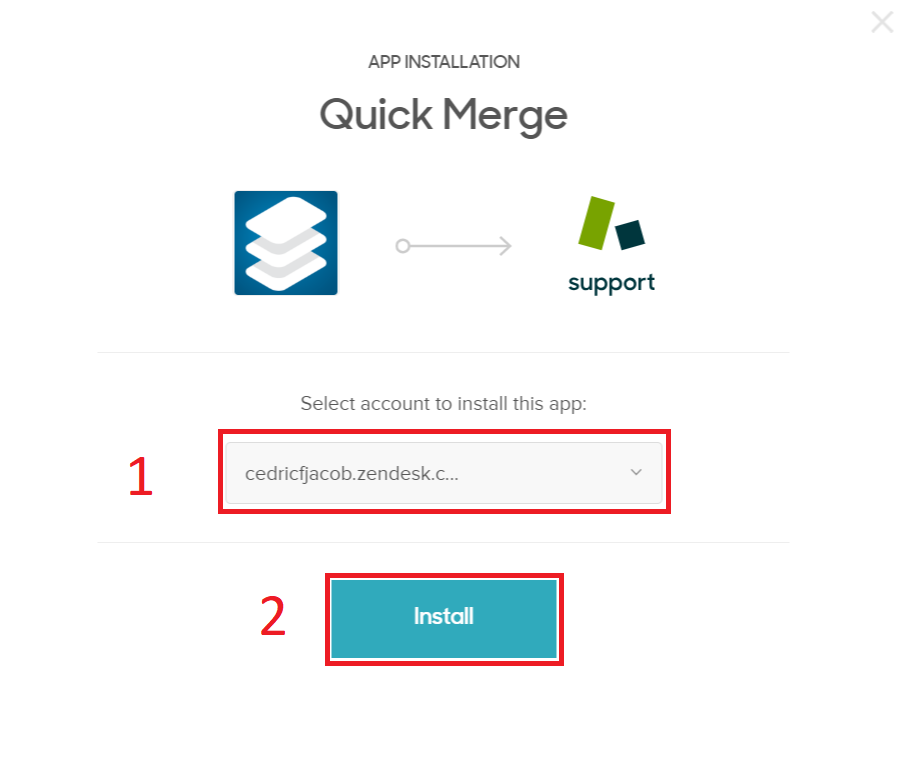
When prompted, please select the account and click INSTALL.
Hereafter, you will be required to add the payment details.
Setup
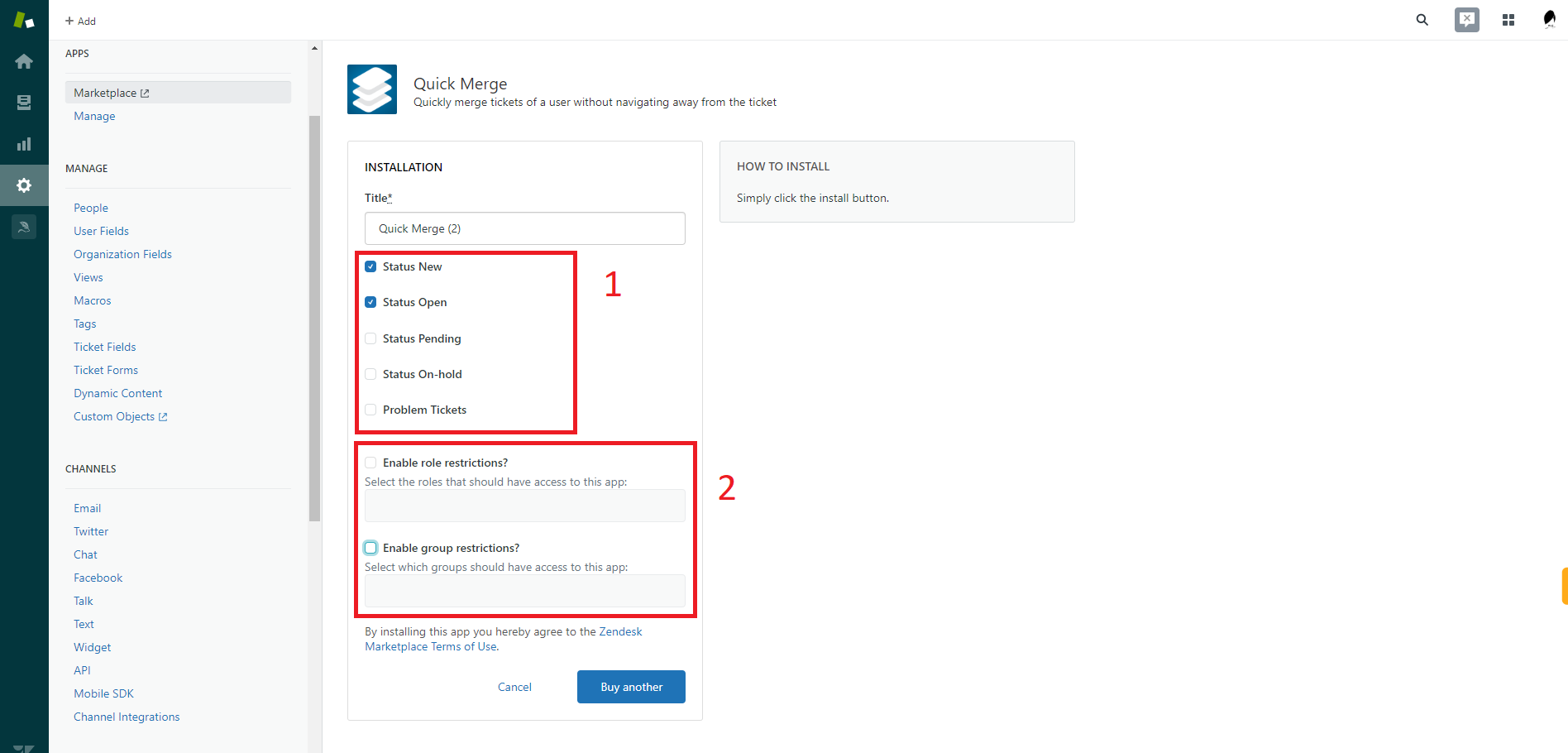
After a successful installation, you will be prompted to set up the application.
The admin can enable or disable the ticket statuses. Only the tickets with the enabled statuses will be shown. The admin can also choose to limit the application to certain groups and roles.
Still need help?
Open a request and Quick Merge is pre-filled as the topic.